Trash and deleting
With SaveKeeper running, deleting a save or a character in Load Game moves it to SaveKeeper Trash instead of removing it. You can put it back from the SaveKeeper panel.
Deleting a save
Press the game's own Delete save or Delete character button as usual. SaveKeeper shows its own confirmation instead of the game's:
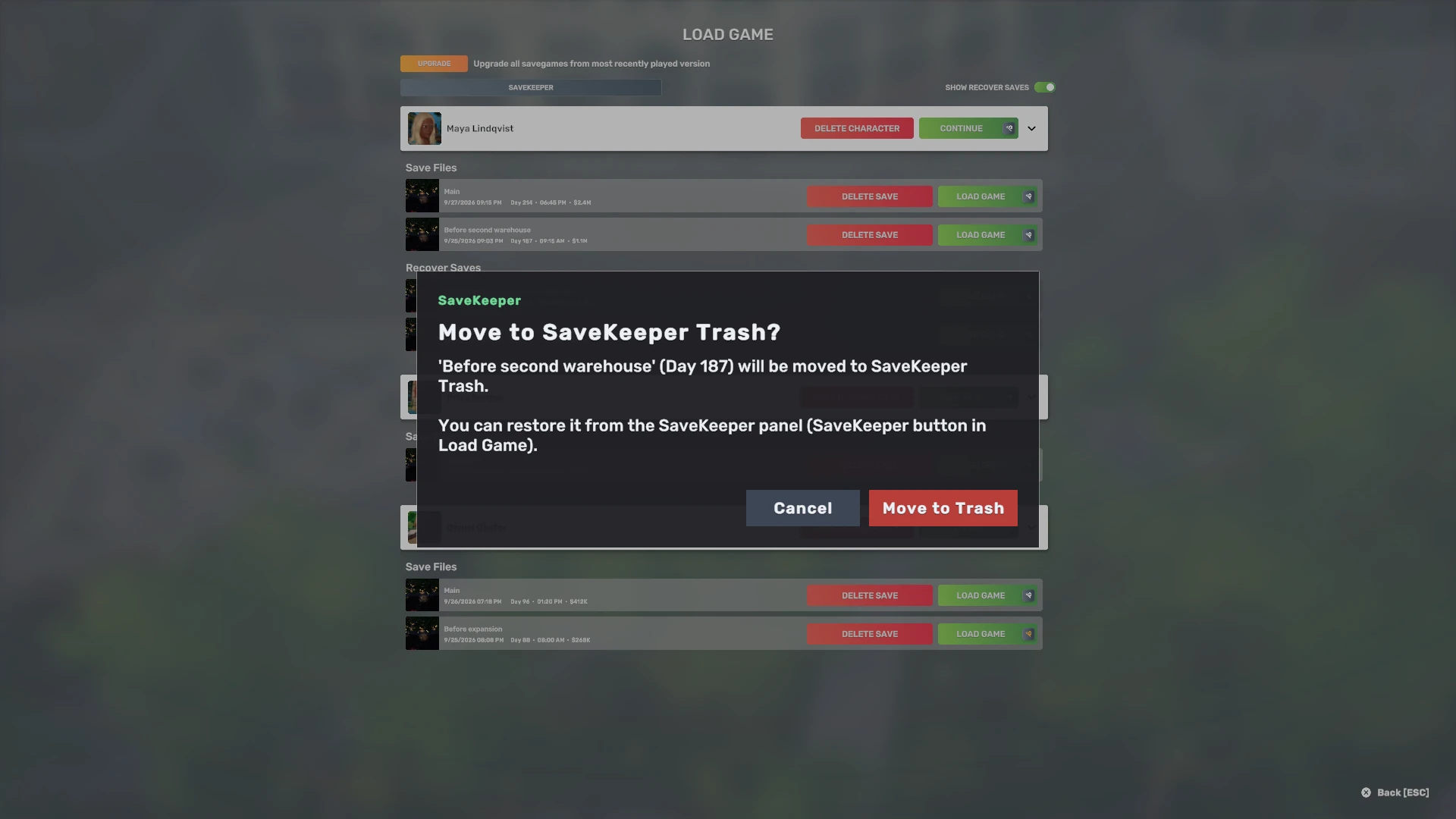
- A single save moves to the Trash with all its files.
- The last save of a character takes the whole character folder with it, unchanged, so nothing of that character is left behind or lost.
- Delete character moves the character's whole folder, including anything else stored in it.
- The game's "delete broken savegames" button moves those files to the Trash too.
The confirmation is always shown: holding Shift, which skips the game's own confirmation, does not skip SaveKeeper's. Moving to the Trash also needs the safety backup question to have been answered for this version; if it has not, SaveKeeper asks it and moves nothing.
The Trash tab
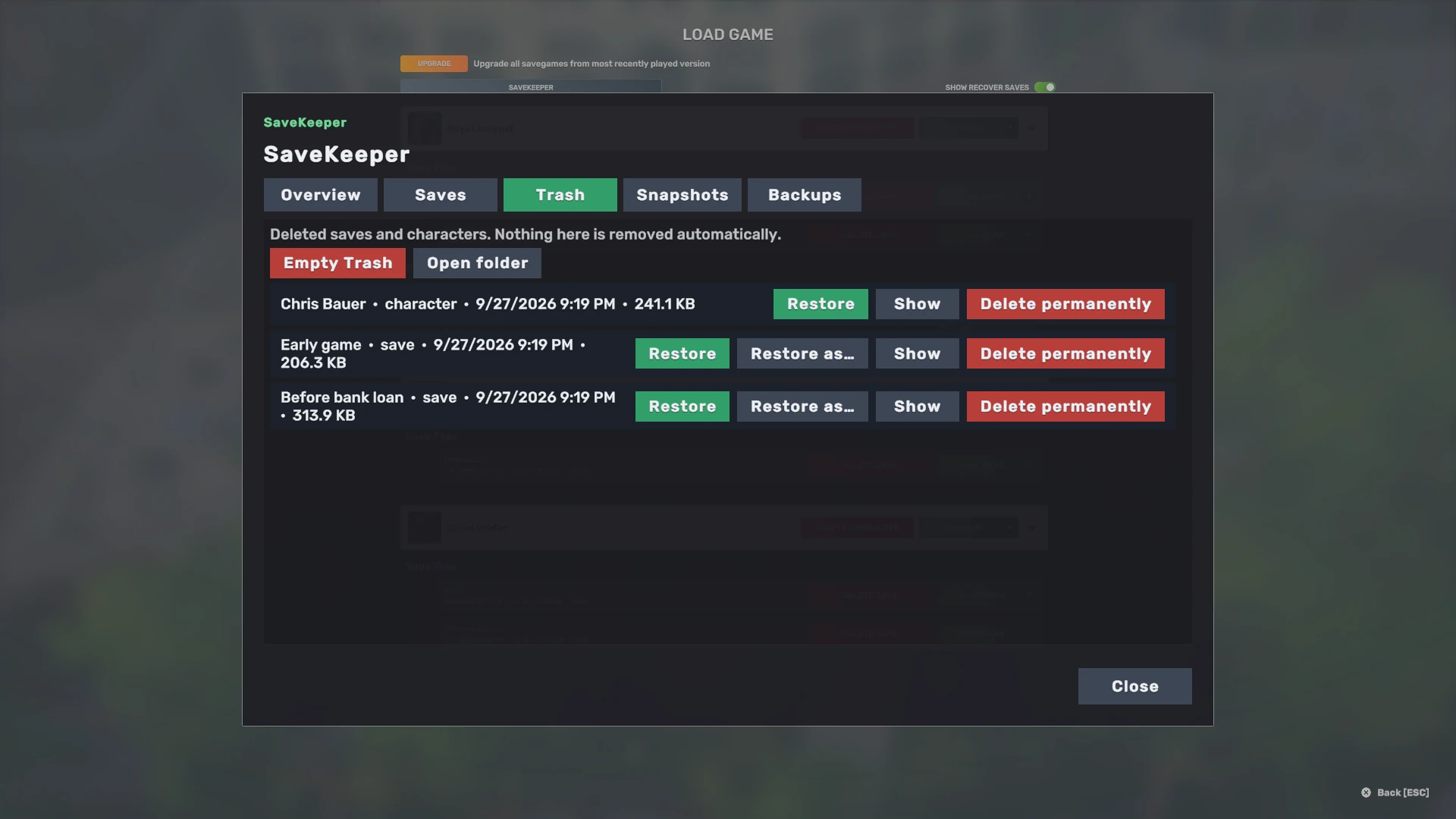
| Button | What it does |
|---|---|
| Restore | Puts the save back under its original name, or the character folder back where it was. If that name is now taken by another save, SaveKeeper asks you for a new one instead of replacing anything. |
| Restore as… | Saves only. Puts it back under a name you choose. See Restoring safely. |
| Show | Opens the entry's folder in Explorer or Finder. |
| Delete permanently | Removes that one entry for good, after a confirmation that says it cannot be undone. |
| Empty Trash | The same for every entry at once, with the same confirmation. |
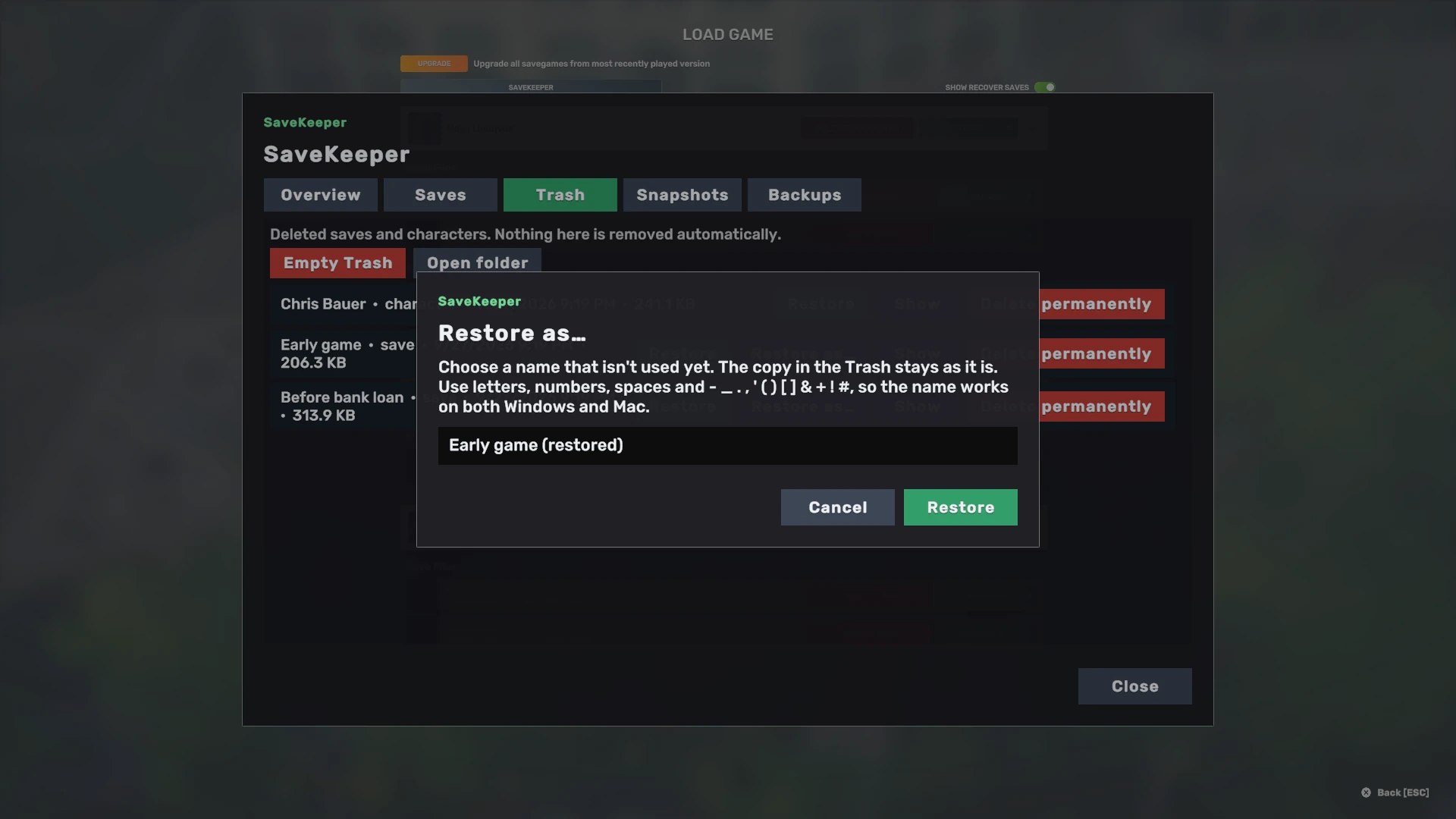
Restoring does not empty the Trash entry: it stays, marked restored, until you delete it. The permanent-delete confirmation tells you how many of the entries were never restored, so you do not throw away a save by accident.
Nothing in the Trash is ever removed automatically. There is no timer and no size limit that empties it. If SaveKeeper's folder grows past 2 GB, the Overview tab suggests emptying the Trash and removing older snapshots, and leaves the decision to you.
Every Trash entry is an ordinary folder with a RESTORE.txt that says where each file goes
back, so a save can be recovered by hand even without SaveKeeper.
What the Trash protects, and what it does not
Only the game's own buttons, once SaveKeeper has started
SaveKeeper protects deletes made with Big Ambitions' own buttons in Load Game. It cannot stop another mod, another program, or you in Explorer or Finder from deleting save files directly.
SaveKeeper also starts a few seconds after the main menu appears: between about 4.7 and 6 seconds in our testing. A save deleted in that first moment is deleted by the game on its own, as it would be without SaveKeeper. Once the SaveKeeper button shows in Load Game, it is running.
If SaveKeeper cannot use its Trash when you press Delete, for example because the disk is full, it tells you why and offers Delete permanently, the game's normal delete, as a separate, clearly labelled choice. It never deletes permanently without saying so.
If a future Big Ambitions update changes these buttons in a way SaveKeeper does not recognise, SaveKeeper stops intercepting them rather than guessing, and the Overview tab says that the game's own delete is permanent again.