Snapshots
Each time you load a save, SaveKeeper keeps a copy of it exactly as it was at that moment. If a game goes wrong later, you can start again from how it was when you sat down to play.
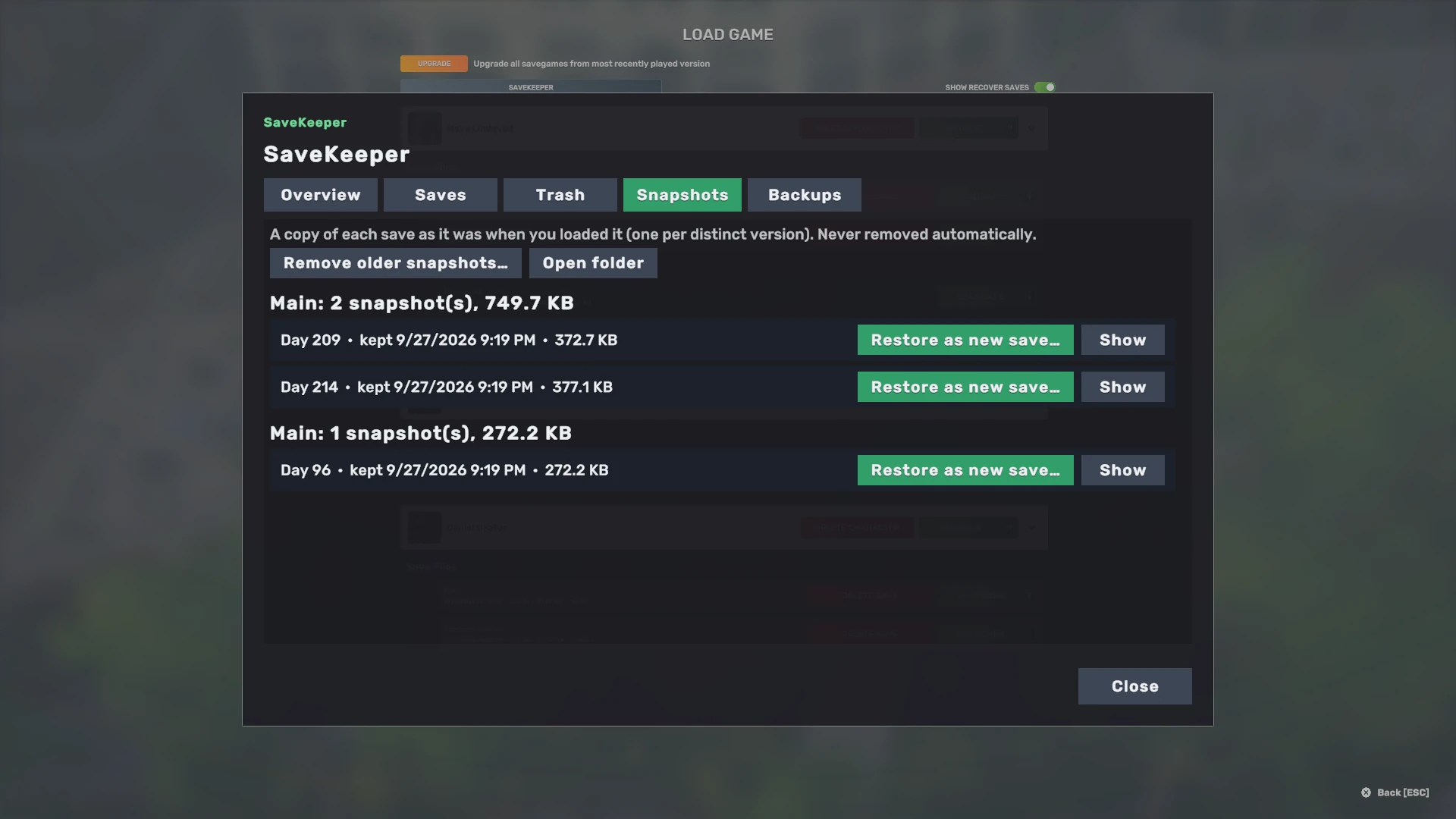
How snapshots are kept
- On load. When you load a save from Load Game, or with the main menu's Continue button, SaveKeeper keeps a snapshot first, then lets the game load it.
- One per distinct version. Loading the same, unchanged save again does not make another copy. Once you have played and saved, the next load keeps a new one.
- Local. Snapshots live in SaveKeeper's folder on this computer. They are safety history for this machine; Steam Cloud does not sync them.
- Never removed automatically. They stay until you remove them.
Snapshots start once the safety backup question has been answered for this version. Until then, loading asks whether to answer it now or load without a snapshot. If the disk is too full to keep a snapshot, SaveKeeper says so and lets you load anyway.
Restoring from a snapshot
Restore as new save… creates a new save from the snapshot under a name you choose. Your existing saves and the snapshot itself stay exactly as they are, so you can go back and forth safely.
Managing older snapshots
Remove older snapshots… asks how many of the newest snapshots to keep for each save, shows how many would go and how much space that frees, and only then acts. The ones it removes move to the SaveKeeper Trash, so even they can still be restored until you empty the Trash.
The check before loading
Before a save loads, SaveKeeper also checks that its file was completely written. If the file is empty, incomplete or damaged, you see Check this save before loading, with Back, Show snapshots and Load anyway. Nothing is changed by the check; it gives you the chance to pick a snapshot instead. A complete file is not a promise that a save will load, only that it was fully written.
This check is made for Big Ambitions build 3682, the build SaveKeeper 0.1.0 was validated on. On another build it only notes what it saw instead of stopping the load.