Version safety backup
Before a SaveKeeper version manages any save, it offers one complete, verified backup of your whole SaveGames folder: a recovery point from before that version was involved.
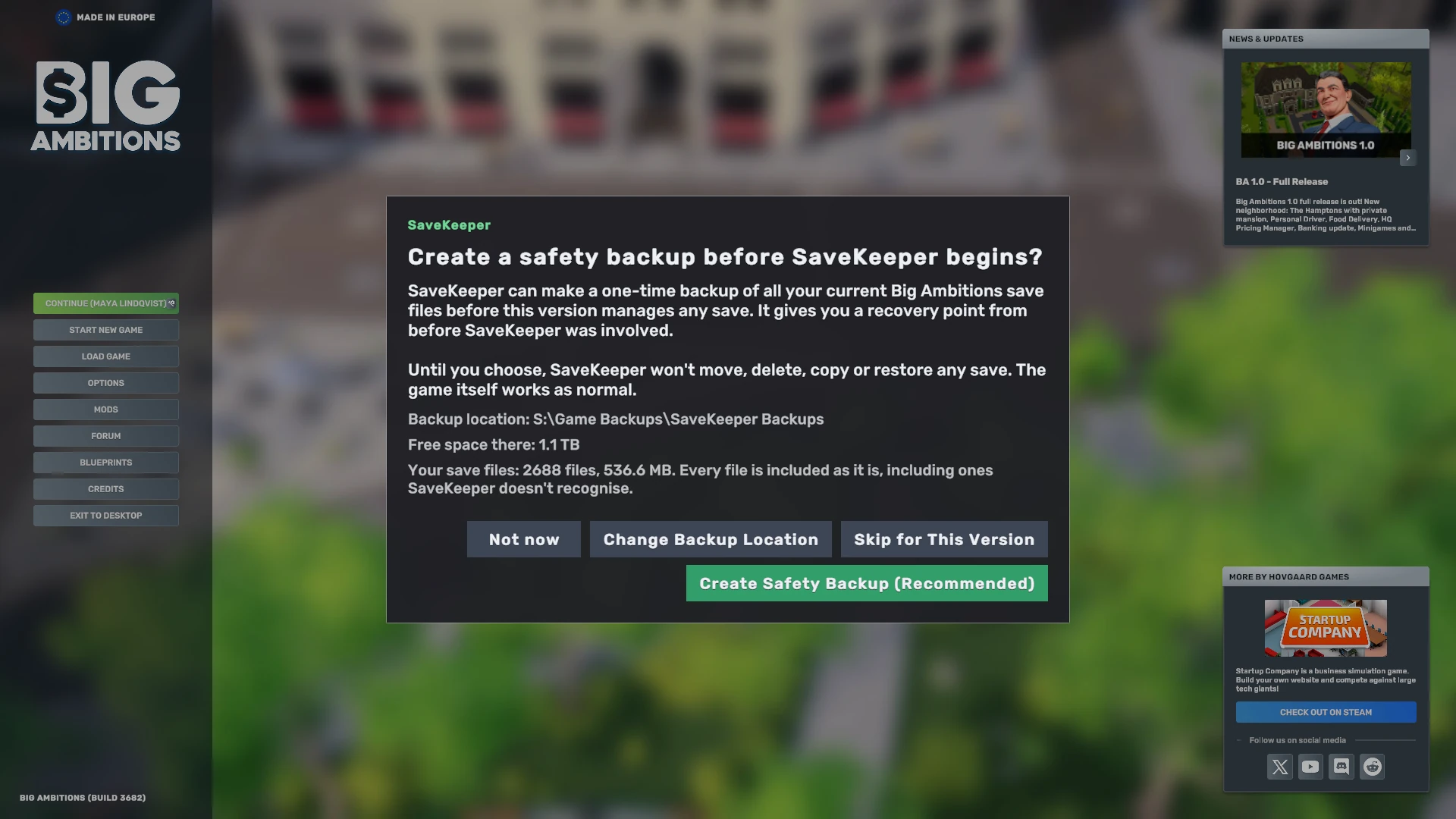
When you are asked
- First install: "Create a safety backup before SaveKeeper begins?"
- After an update: "SaveKeeper has been updated to v…", with the version you came from.
- After a change to a different version, for example going back to an older one: "SaveKeeper is now v…".
- If SaveKeeper cannot find its record of an earlier answer, it asks again rather than assume.
Each version is asked once. Once you create the backup or skip it, that version does not ask again.
What the backup contains
- Your whole SaveGames folder: every character, every save and autosave, for the current game version and any older version folders the game keeps there.
- Every file as it is, including files SaveKeeper does not recognise, such as data other mods keep inside SaveGames. Nothing is converted, filtered or tidied.
- A standard ZIP file, which any operating system can open without SaveKeeper.
Its name looks like
SaveKeeper-PreVersion-0.1.0-<date>-<time>.zip.
The question shows the backup location, the free space there, and how many files and how much data will be copied, before you choose.
Verified before it counts
SaveKeeper checks your files, writes the backup, checks that nothing changed while it was being written, and then verifies the finished ZIP. Only a backup that passes every step is kept and counts as your answer. You see Safety backup created with the number of files verified and where it was saved.
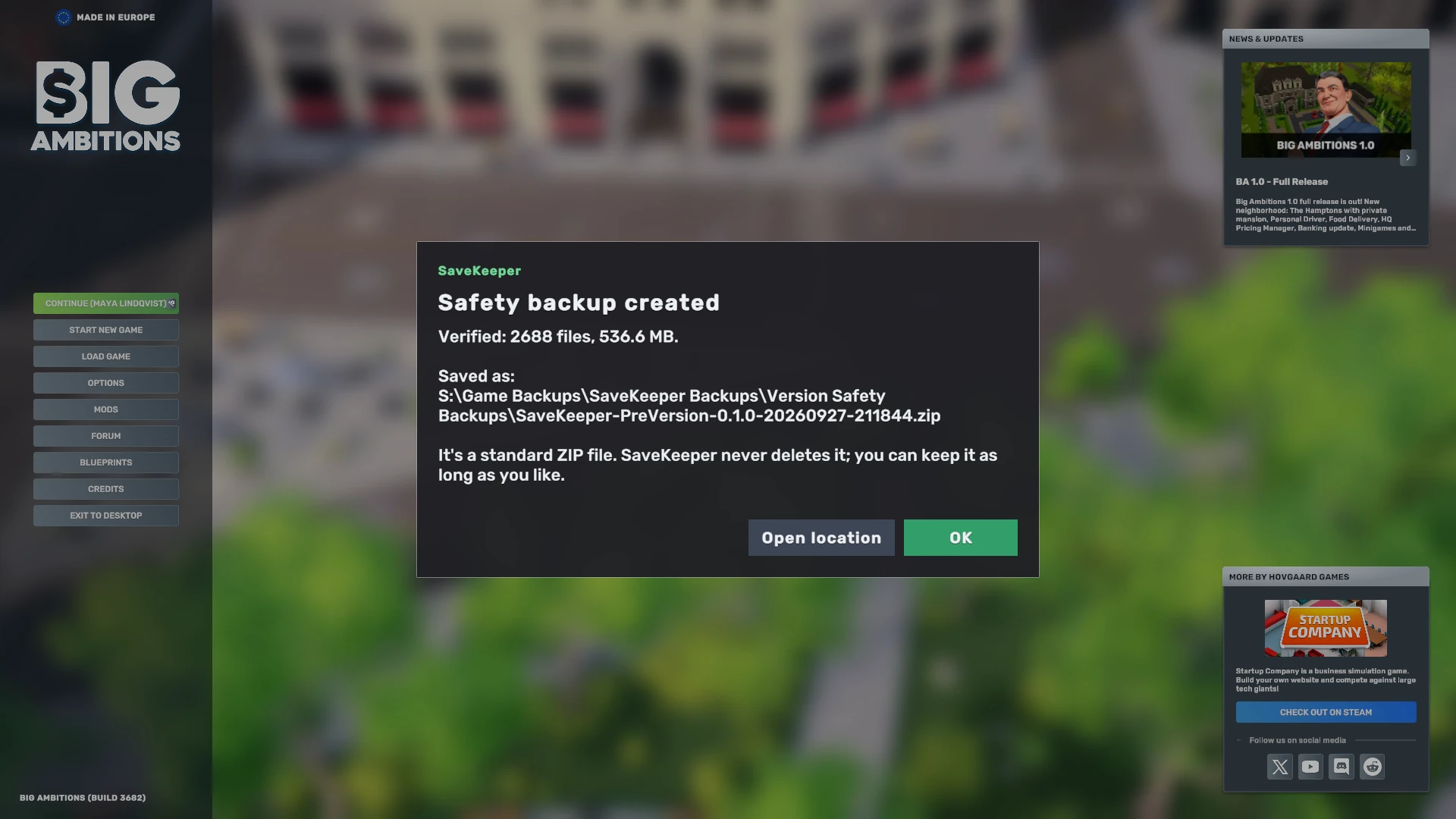
If the backup is cancelled, fails, or your saves change while it is being made (for example because the game was still writing one), it is not kept and does not count as done. Your save files are not changed either way, and you can try again or choose a different answer.
Your four choices
| Button | What it does |
|---|---|
| Create Safety Backup (Recommended) | Makes and verifies the backup. When it succeeds, the question is answered for this version. |
| Change Backup Location | Choose a different folder for SaveKeeper's backups first, for example another drive. See Backup locations and storage. |
| Not now | Closes the question without answering it. SaveKeeper asks again later and keeps waiting. |
| Skip for This Version | Continue without a backup. SaveKeeper asks you to confirm, because a true "before this version" backup cannot be made later, once it has managed saves. |
Not now is not the same as Skip
Until the question is answered, SaveKeeper will not move, delete, copy or restore any save, and it does not keep snapshots. The game itself works as normal. If you press Delete in Load Game meanwhile, SaveKeeper shows the question again and nothing is moved. Closing the window, pressing Escape or a failed backup all leave the question open, just like Not now.
Keeping and using it
SaveKeeper never deletes a version safety backup. It stays until you remove it yourself. The Backups tab of the SaveKeeper panel lists every one it knows about, with its date, file count and size, and a button to show it in its folder.
SaveKeeper 0.1.0 does not restore a whole safety backup for you. Because it is an ordinary ZIP, you can open it with the game closed and copy back whatever you need. To bring back a single save inside the game, the Trash, snapshots and single-save backups are the tools for that.
If your SaveGames folder contains a link or shortcut to another place, SaveKeeper does not follow it, so it cannot make a complete backup and says so rather than making an incomplete one.