The SaveKeeper panel
Everything SaveKeeper keeps, and every action it offers, is in one panel. Open it with the SaveKeeper button at the top of the Load Game screen.
Overview
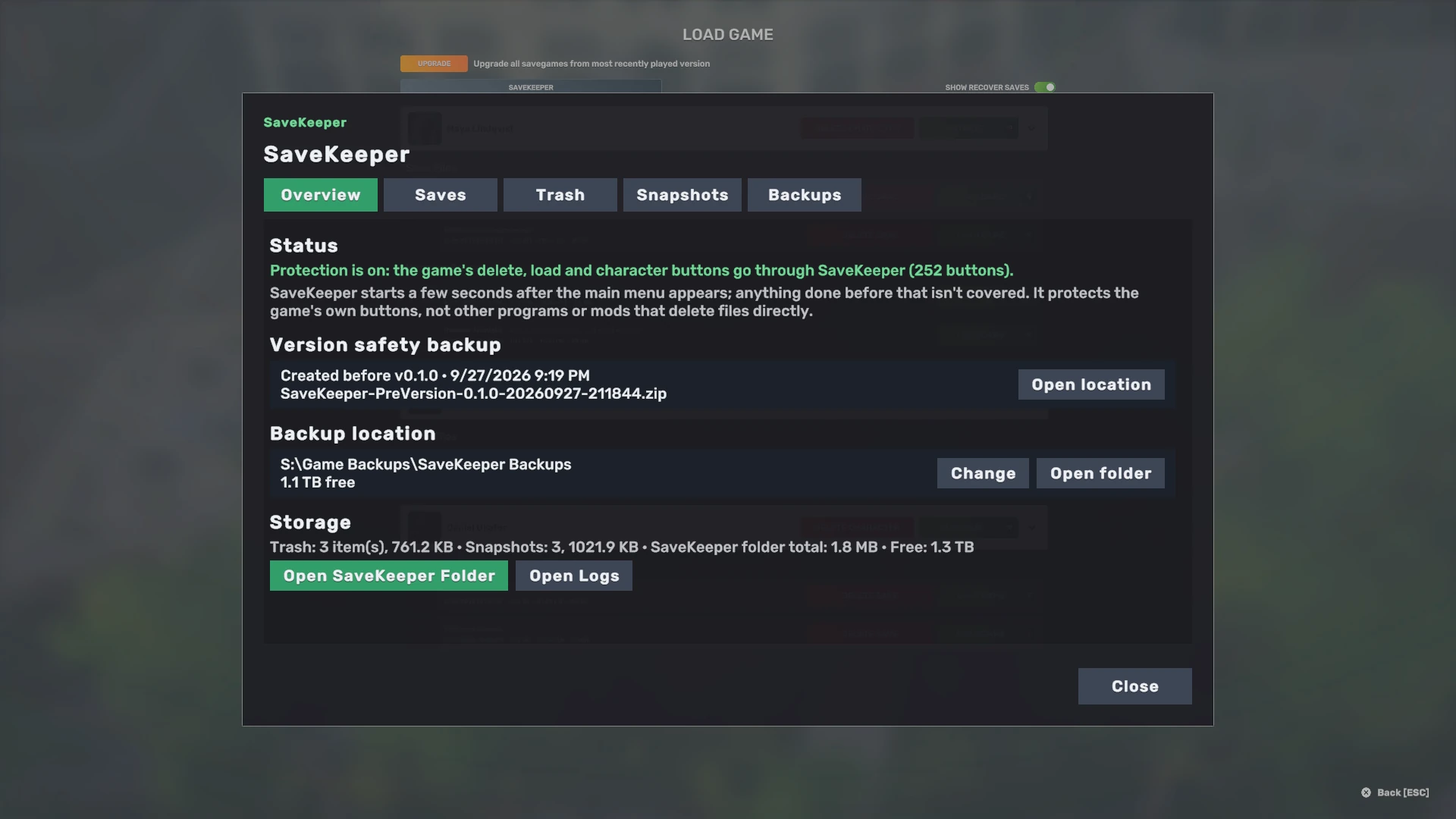
- Status tells you whether protection is on. If the game has changed in a way SaveKeeper does not recognise, this is where it says protection is off and why.
- Version safety backup: whether this version's backup was created or skipped, and when. Answer now appears here if you chose Not now.
- Backup location: where backup ZIP files go, the free space there, and Change to pick another folder.
- Storage: how many Trash entries and snapshots SaveKeeper holds, how much space its folder uses, and Open SaveKeeper Folder and Open Logs.
- Needs your attention appears only if an operation was interrupted, for example by the game closing; it offers Put back or Finish. See Troubleshooting.
Saves
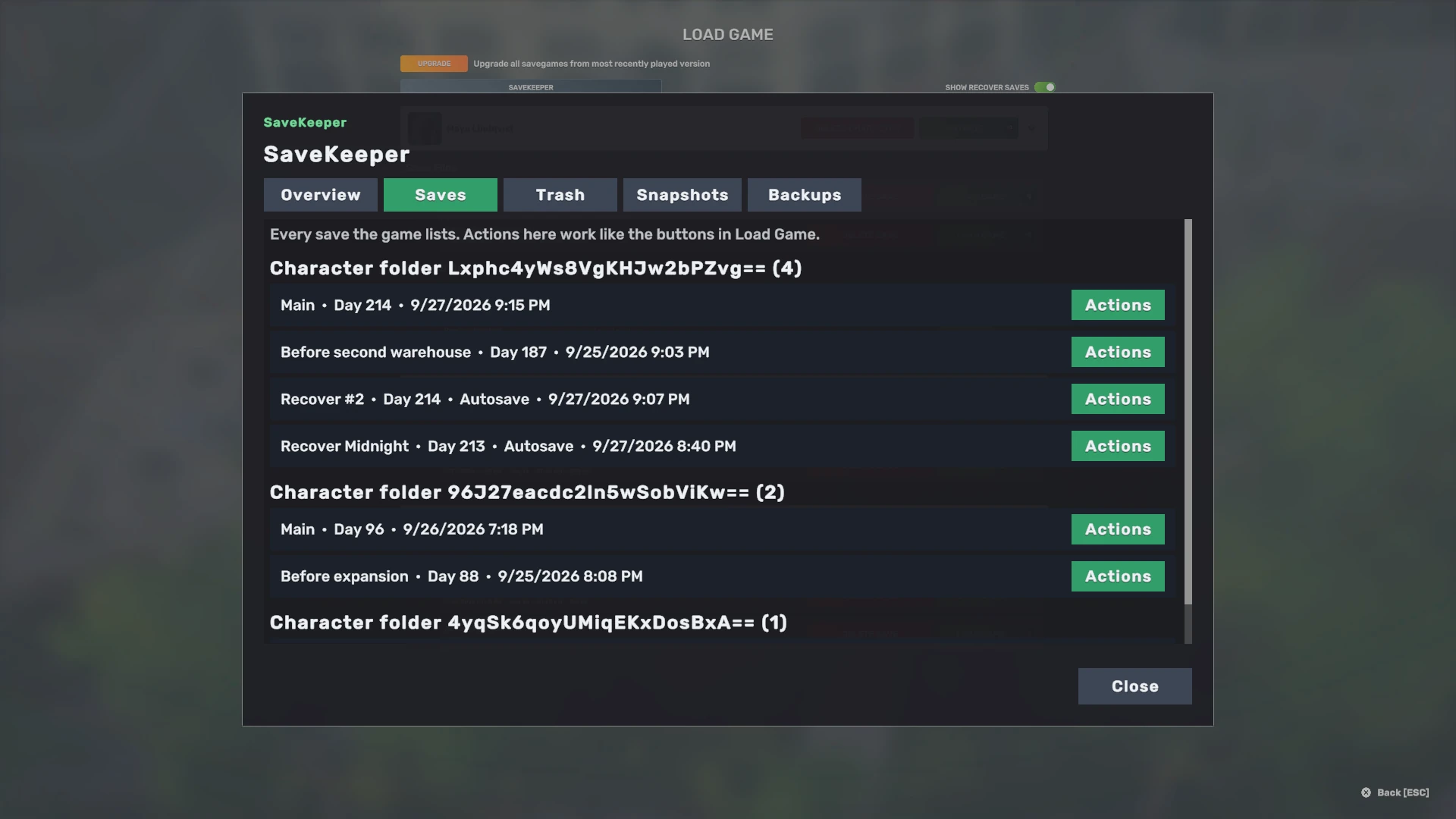
Every save the game lists, grouped by the character's folder on disk. Each has an Actions button, which opens the save actions window. The headings show the folder's name as the game stores it, which is a code rather than the character's name; the save names and Days are the same as in Load Game.
Trash
Saves and characters you deleted, with Restore, Restore as…, Show and Delete permanently for each, and Empty Trash. Nothing here is removed automatically. See Trash and deleting.
Snapshots
A copy of each save as it was when you loaded it, grouped by save, with Restore as new save… and Remove older snapshots…. See Snapshots.
Backups
Your version safety backups, and your single-save ZIP backups with a Restore button for each. See Backups.
Close the panel with Close or Escape. Escape always cancels a SaveKeeper window; it never confirms anything.