Urgent Returns
An Urgent Return collects one product within about an hour, for a fee.
Requesting one
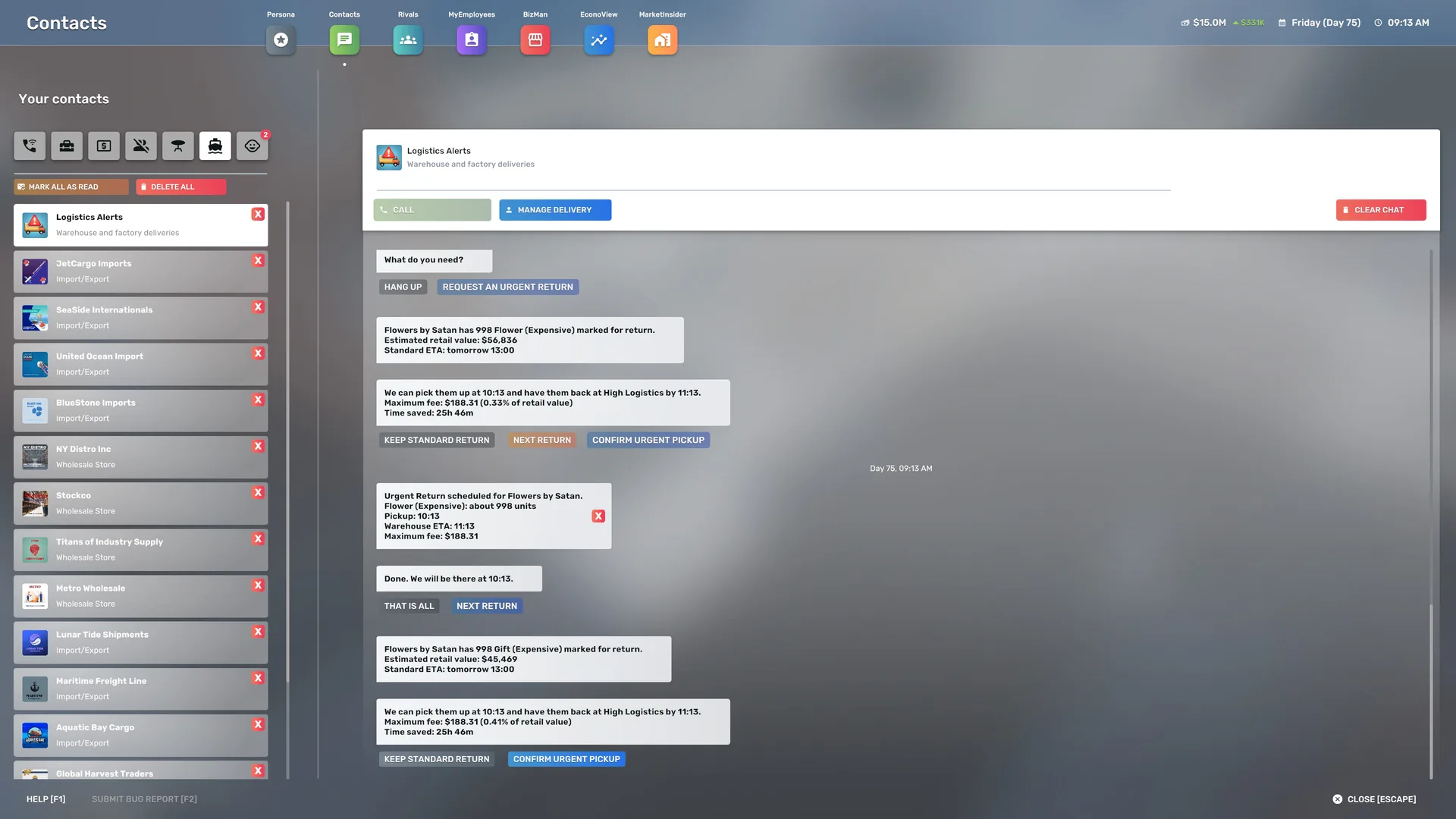
Contacts → Logistics Alerts → Call → Request an Urgent Return
Each product that can go urgently is offered in turn. Confirm it, keep it as a Standard Return, or look at the next one first. An offer appears only when an Urgent Return would be faster than the Standard Return and the warehouse has a vehicle with a driver.
Timing and fee
- Pickup is one game hour after you confirm. The stock is available in the warehouse one game hour after pickup.
- The fee shown is a maximum. It is charged at pickup, it can be lower, and it is never higher than you confirmed.
- If the pickup cannot go ahead, nothing is charged and the product stays on its Standard Return.
Tracking
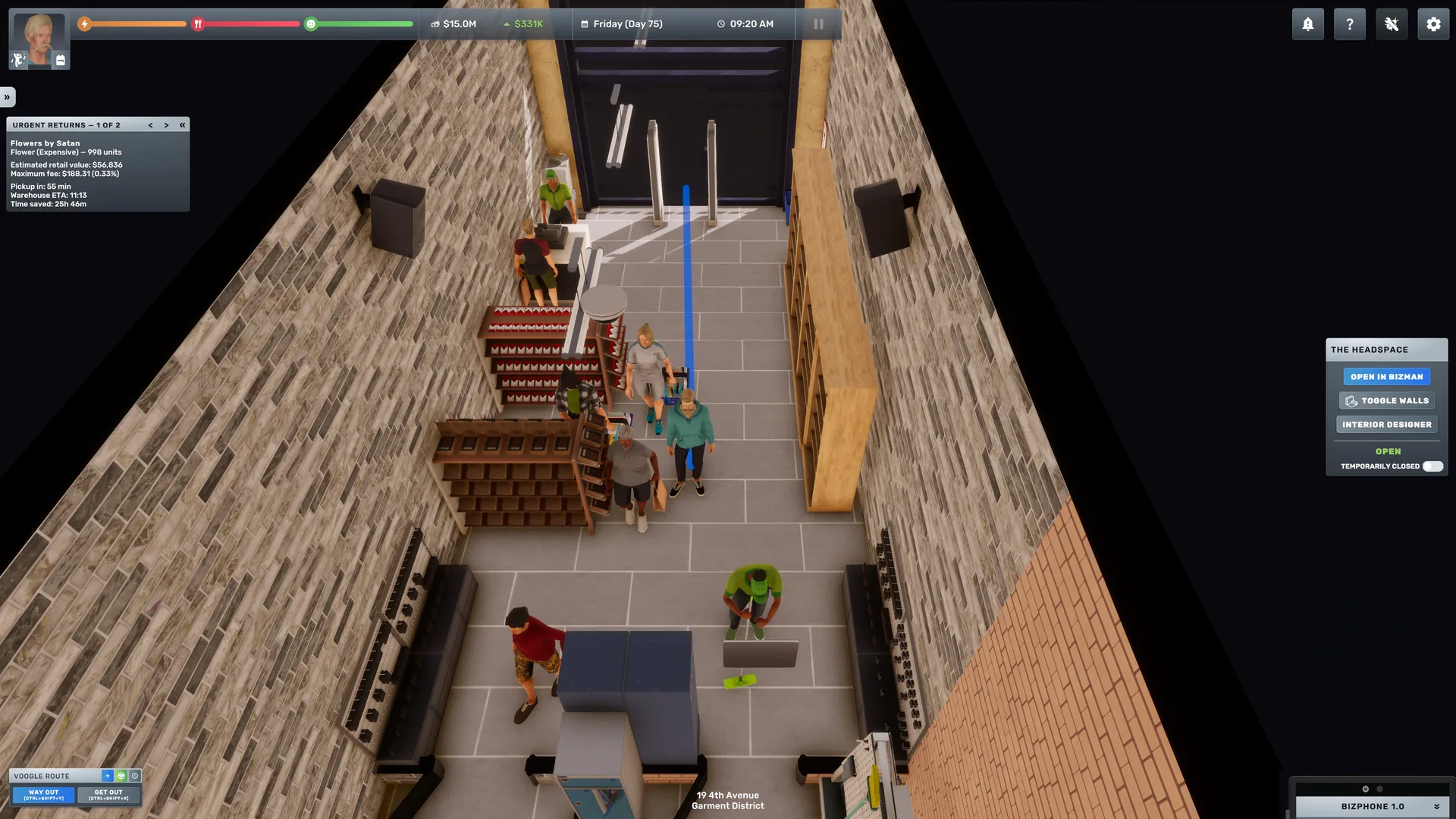
While an Urgent Return is active, a small Urgent Returns tracker sits under Objectives. Before pickup it shows the maximum fee and a countdown to pickup; after pickup it shows the fee charged and a countdown to arrival. It pages through several returns and tucks away to a tab at the edge of the screen, like Objectives. Logistics Alerts also texts you when an Urgent Return is scheduled, canceled, picked up and delivered.
Canceling
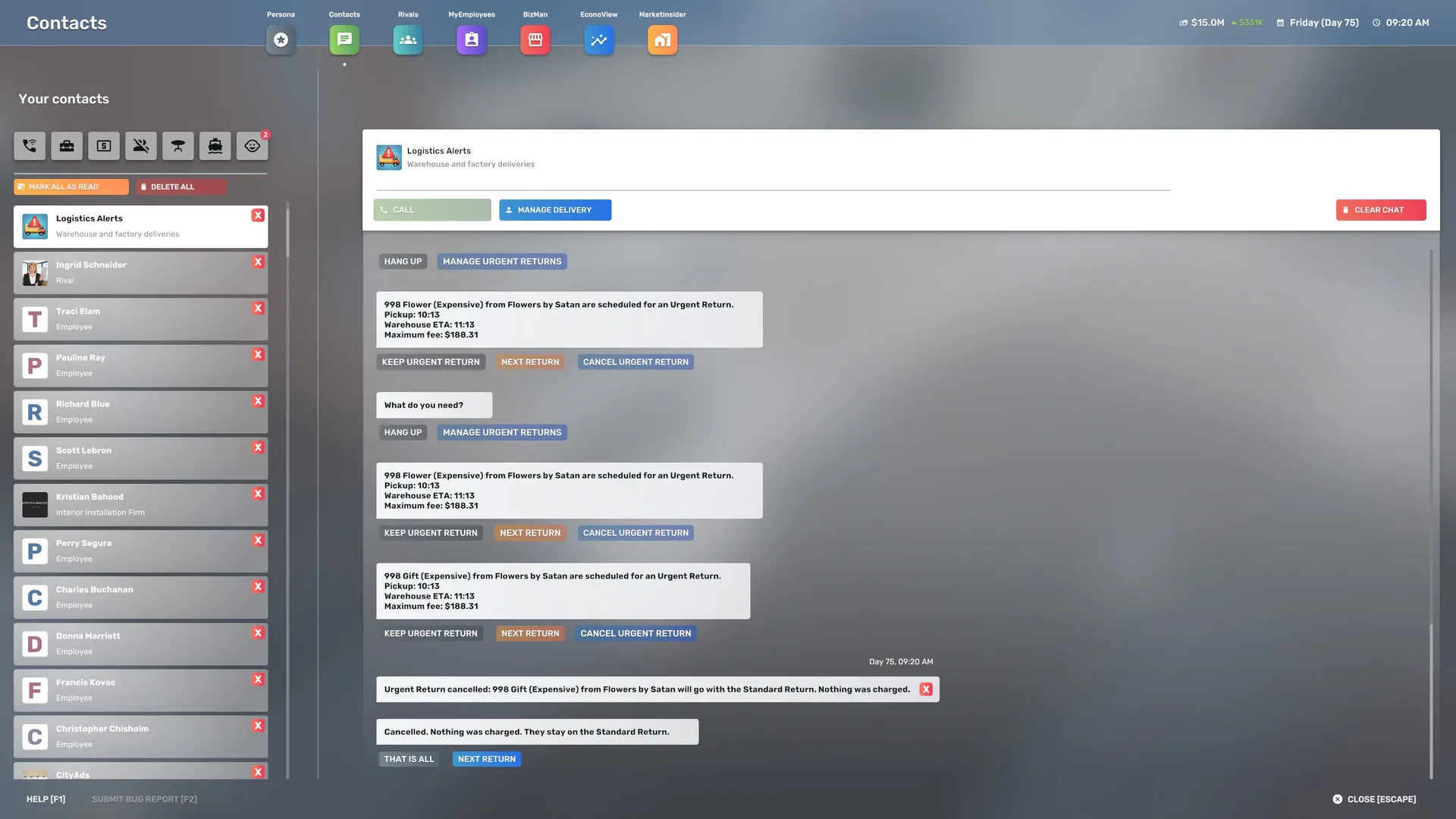
Contacts → Logistics Alerts → Call → Manage Urgent Returns
Canceling is free before pickup, and not possible after it. A canceled product simply stays on its Standard Return.
Getting support
Still stuck? Open a private OverstockReturn ticket. No account is needed, and nothing you send is published. Your mod version, your game build and what you did just before the problem are the most useful details.