High Ambitions Released
Cannabis retail for Big Ambitions
Adds a Dispensary and a Smoke Shop to Big Ambitions: 25 products with finished packaging and models, twelve official store designs, and AI-owned competitors through BusinessBridge.
Requires BusinessBridge
High Ambitions requires BusinessBridge, the BitFlipMods framework mod that lets AI rivals open High Ambitions' Dispensaries and Smoke Shops of their own. High Ambitions is its reference integration. Keep both installed and enabled; removing BusinessBridge while High Ambitions is installed is not supported.
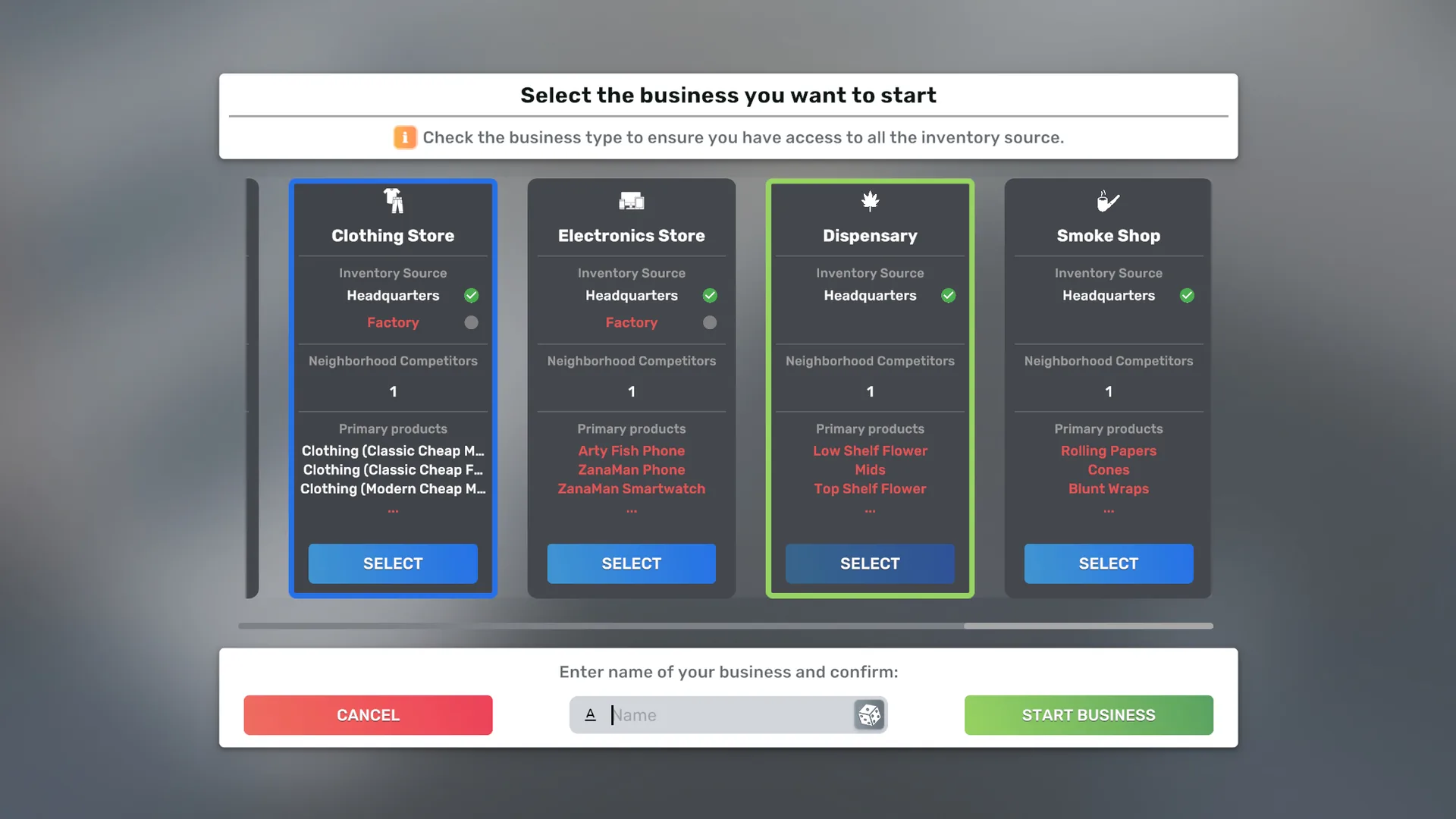
High Ambitions adds two new retail business types to Big Ambitions. The Dispensary sells a cannabis product range across flower, pre-rolls, edibles, drinks, carts and concentrates. The Smoke Shop sells accessories and hardware alongside vanilla tobacco lines. A Dispensary and a Smoke Shop close together in the same district bring extra customers to each other, and the bonus is stronger when you own both.
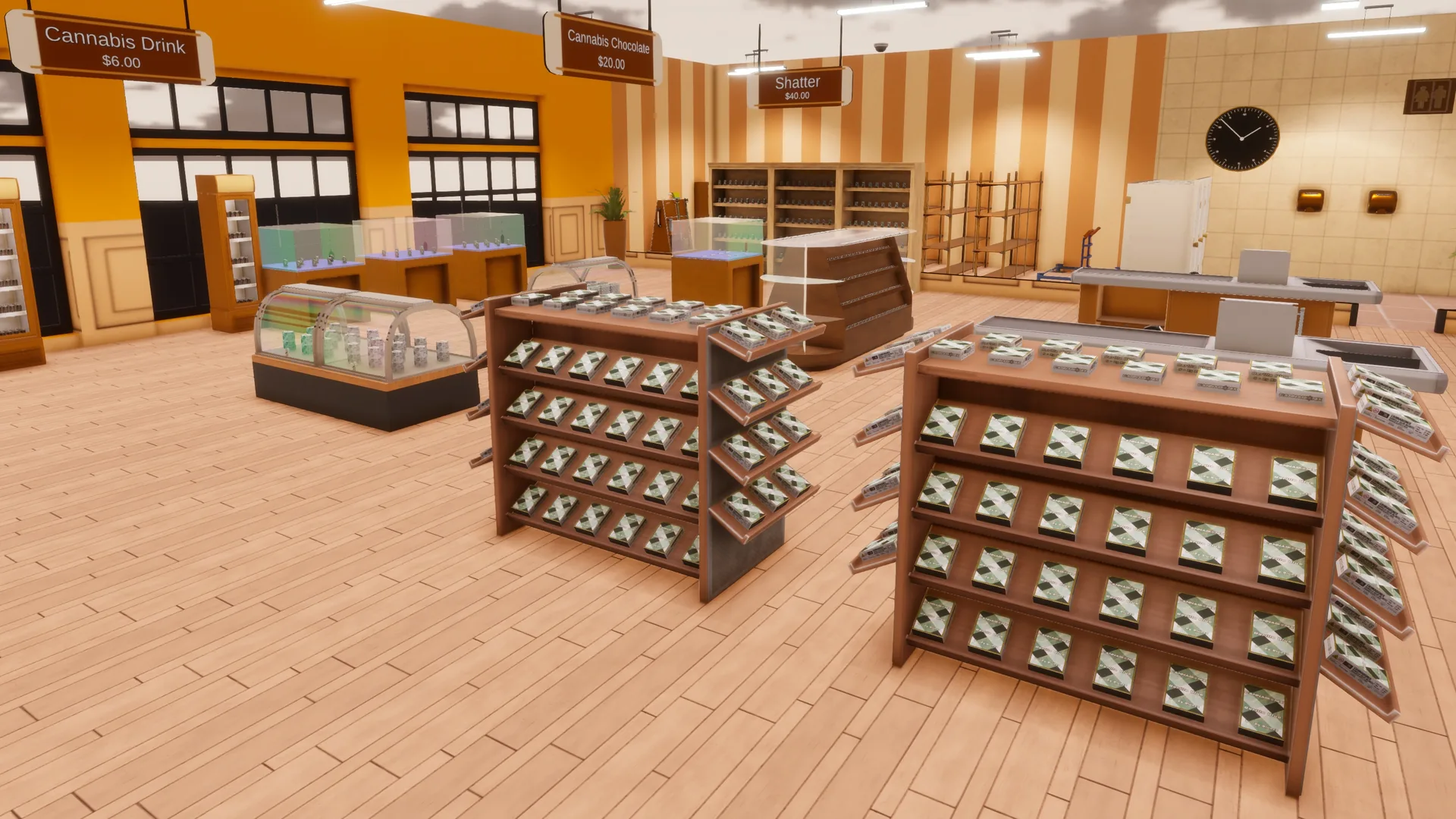
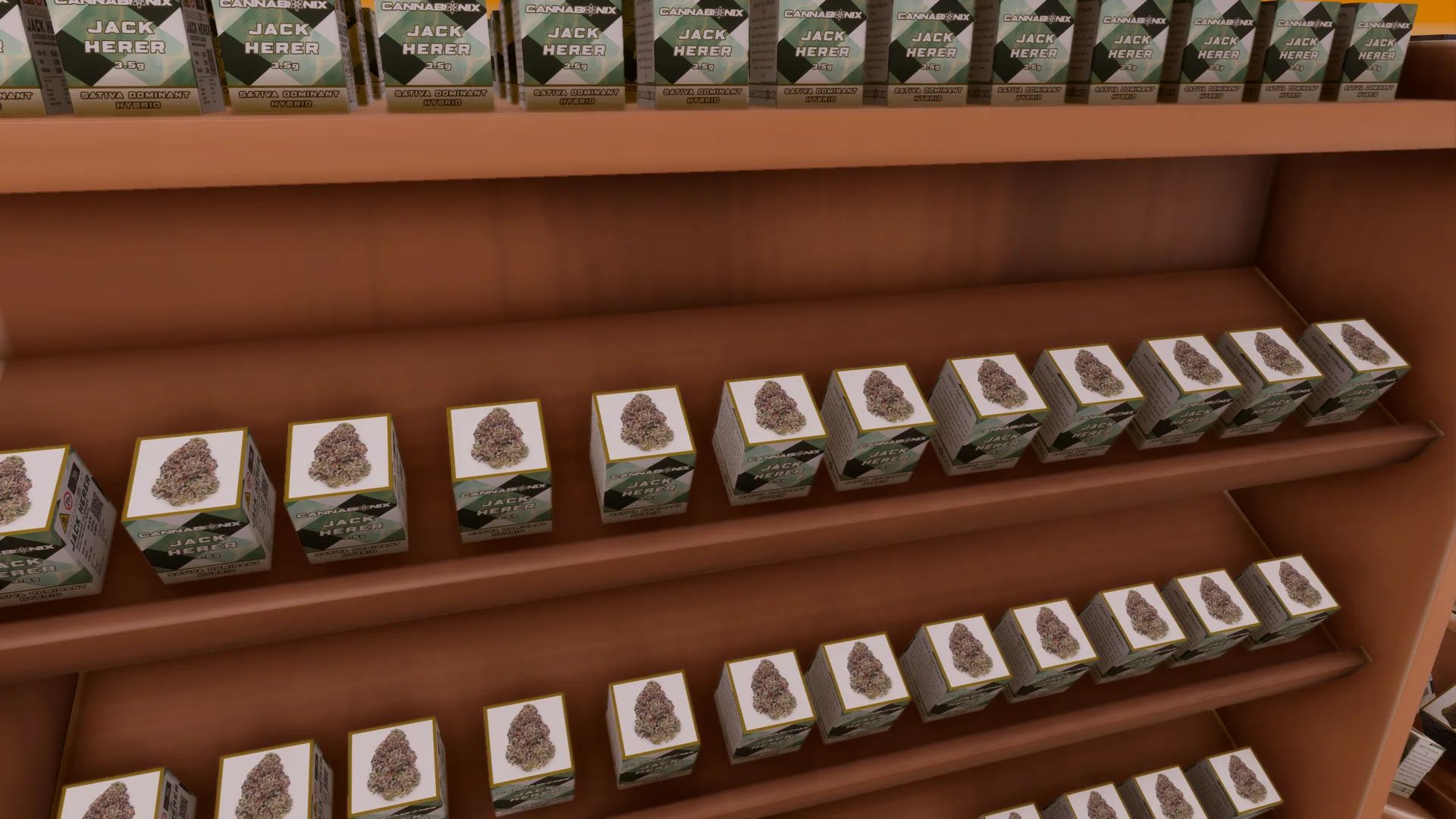
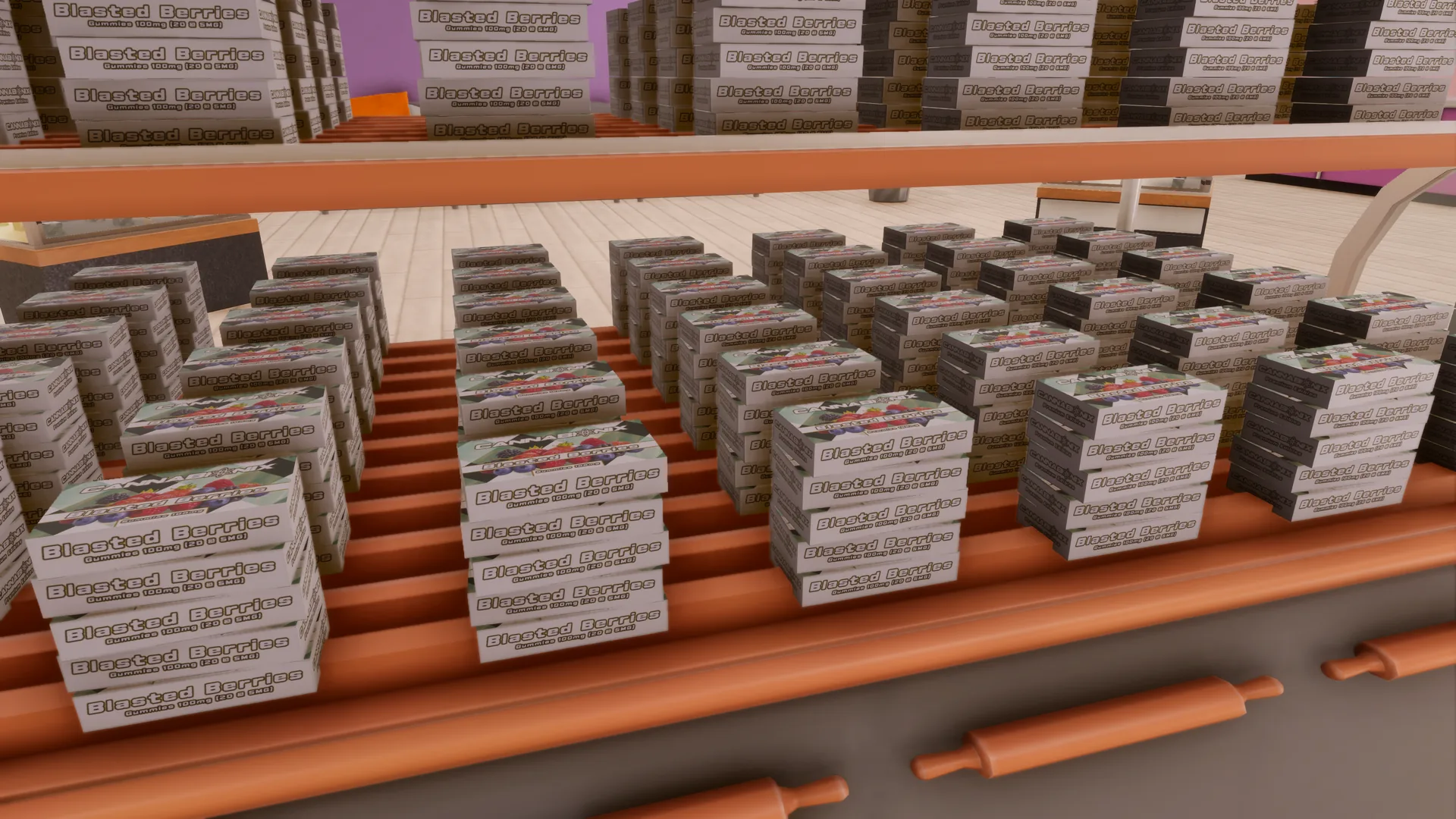
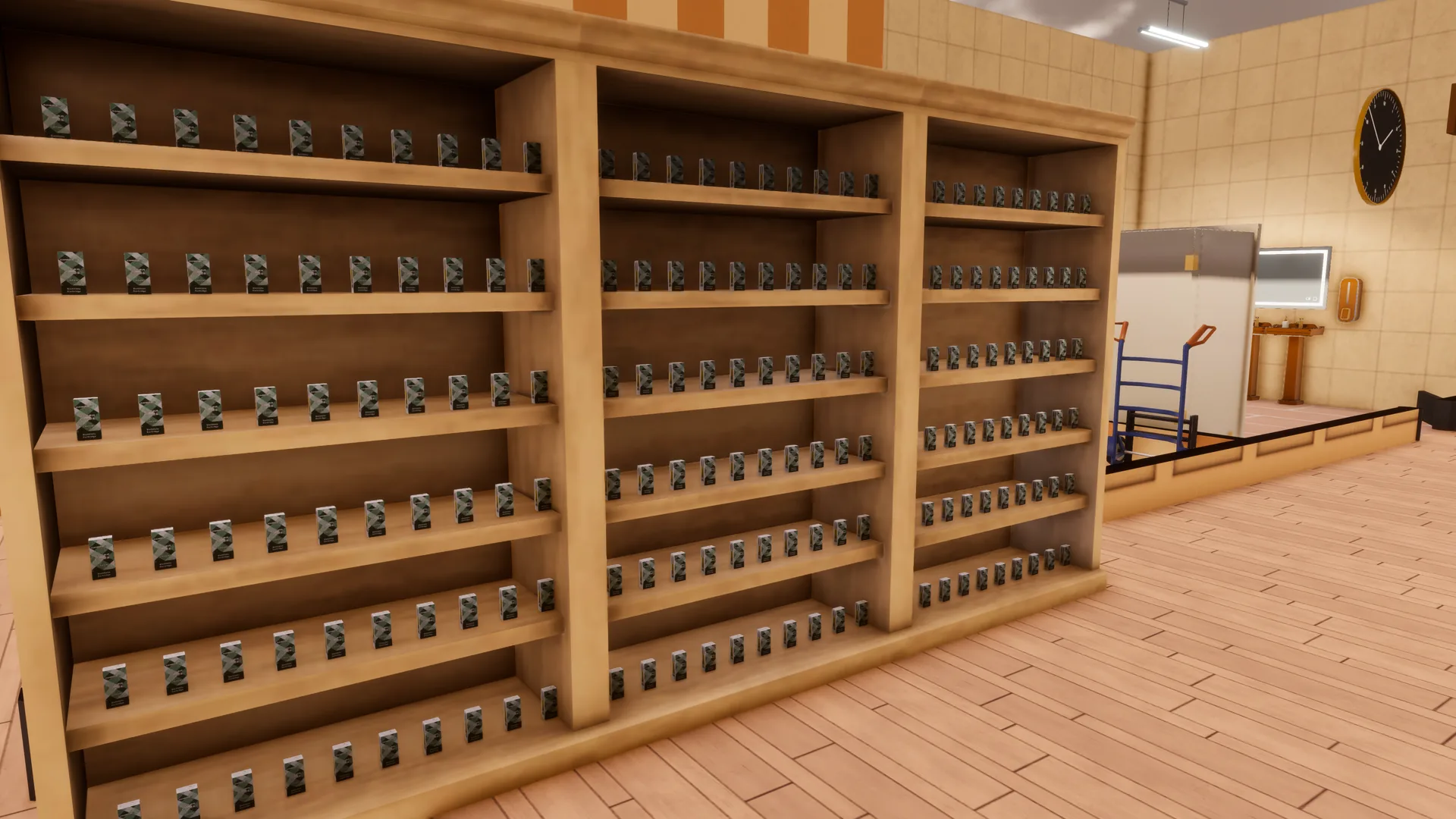
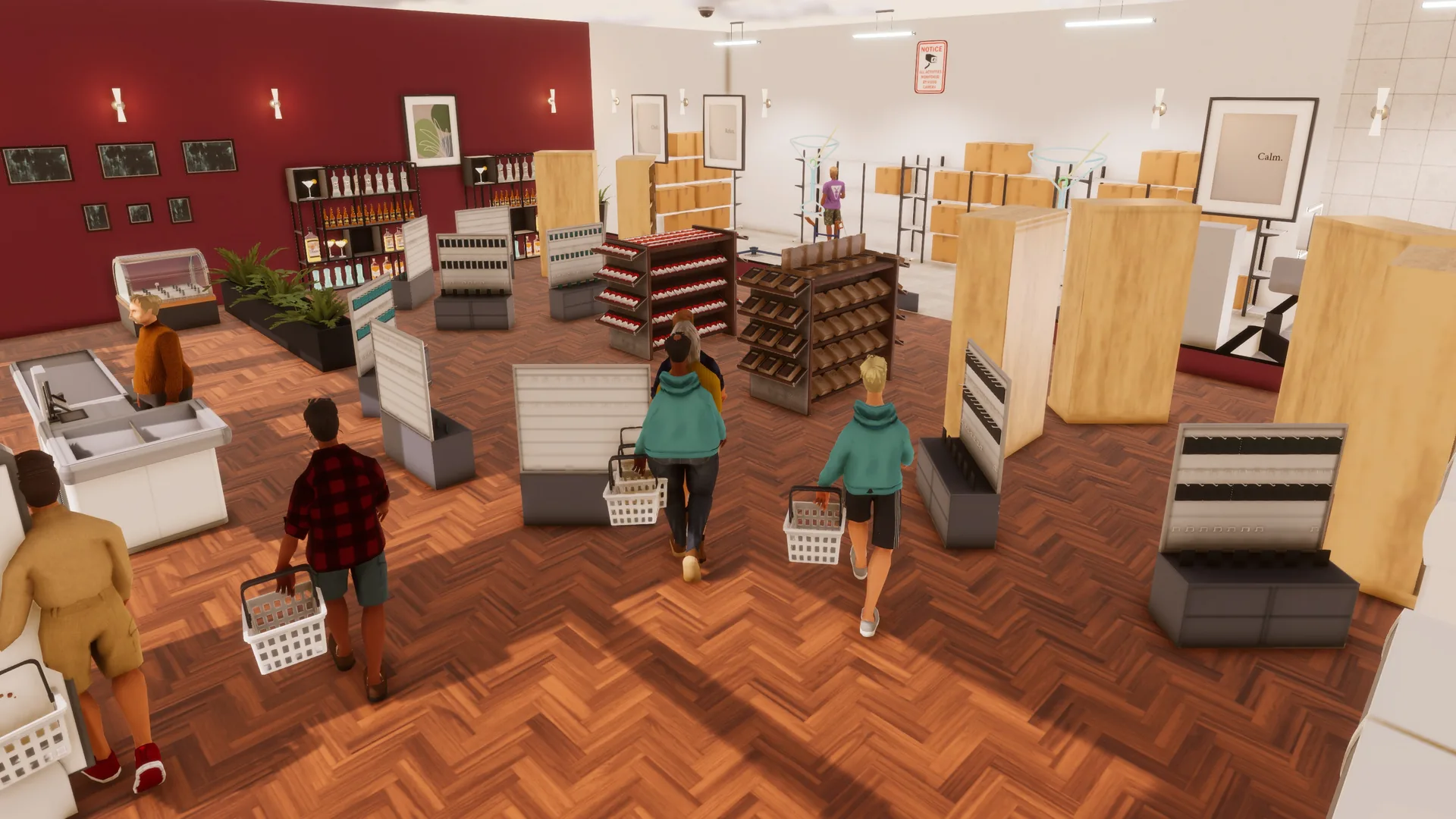
Every one of the 25 products has finished artwork: printed packaging for the flower, pre-rolls, edibles, vape carts, concentrates, papers, cones and wraps, and 3D models for the glass, grinders, torches and lighters. Products sit on the fixtures that suit them, from the Concessions Display Case to the Rounded Shelf and a crate of loose lighters, and each store's shelves offer only the products that store sells.
Everything is built on the game's own systems: products are registered through the public mod API, supplied by an importer like any other goods, and the two stores use grouped stocking requirements so you can satisfy a category with any product in it instead of one exact item.
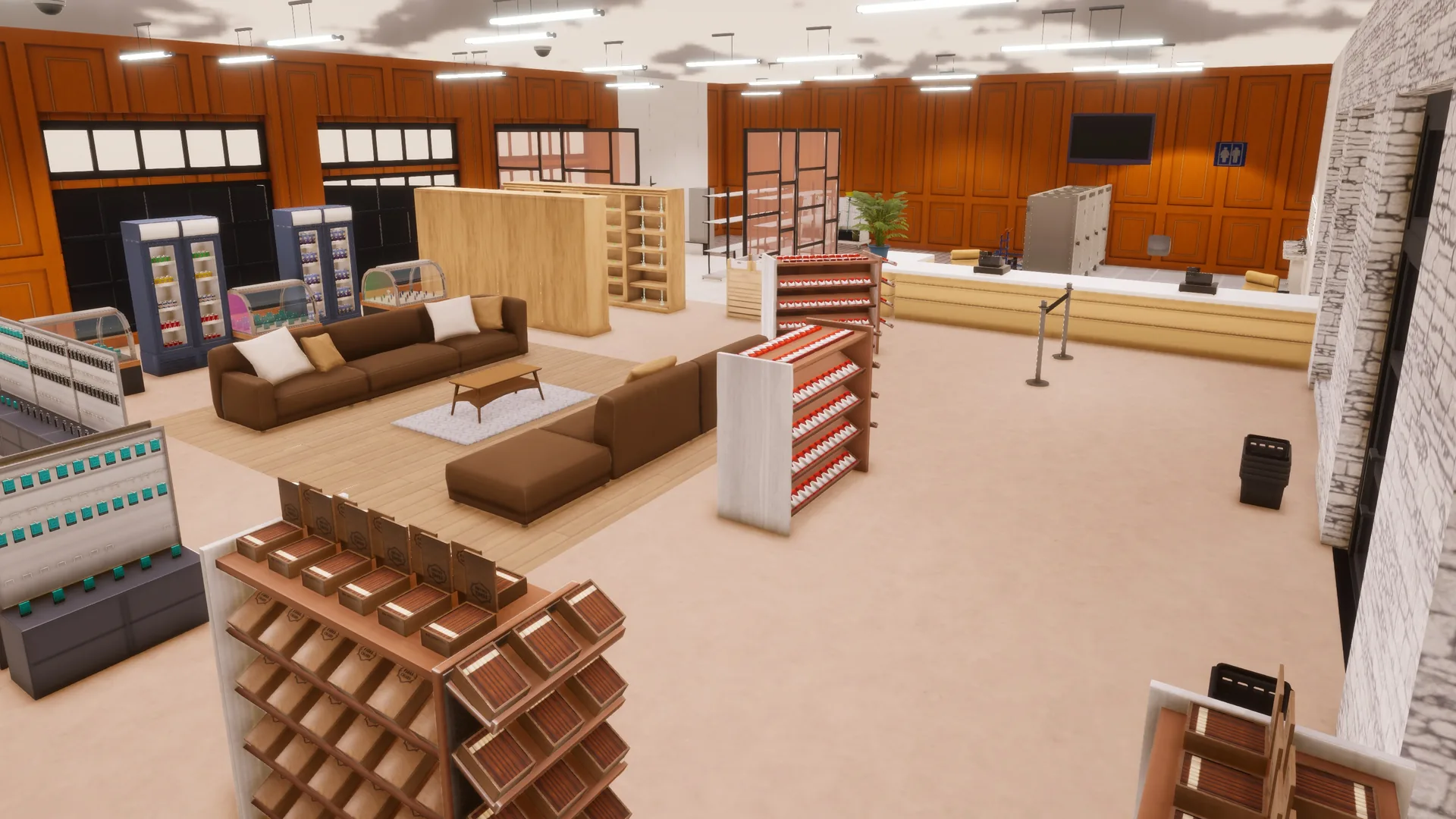
High Ambitions ships 12 official store designs: one Dispensary and one Smoke Shop design for each supported floorplan (A1, A2, C1, C2, D2 and M1). The Interior Installation Firm offers all 12 to players, and AI rivals open fully furnished Dispensaries and Smoke Shops of their own from the same designs through BusinessBridge.
Help for both stores is in the game's own Help window and in the online guide on this site. The release notes and known issues below describe the current version.
In the game
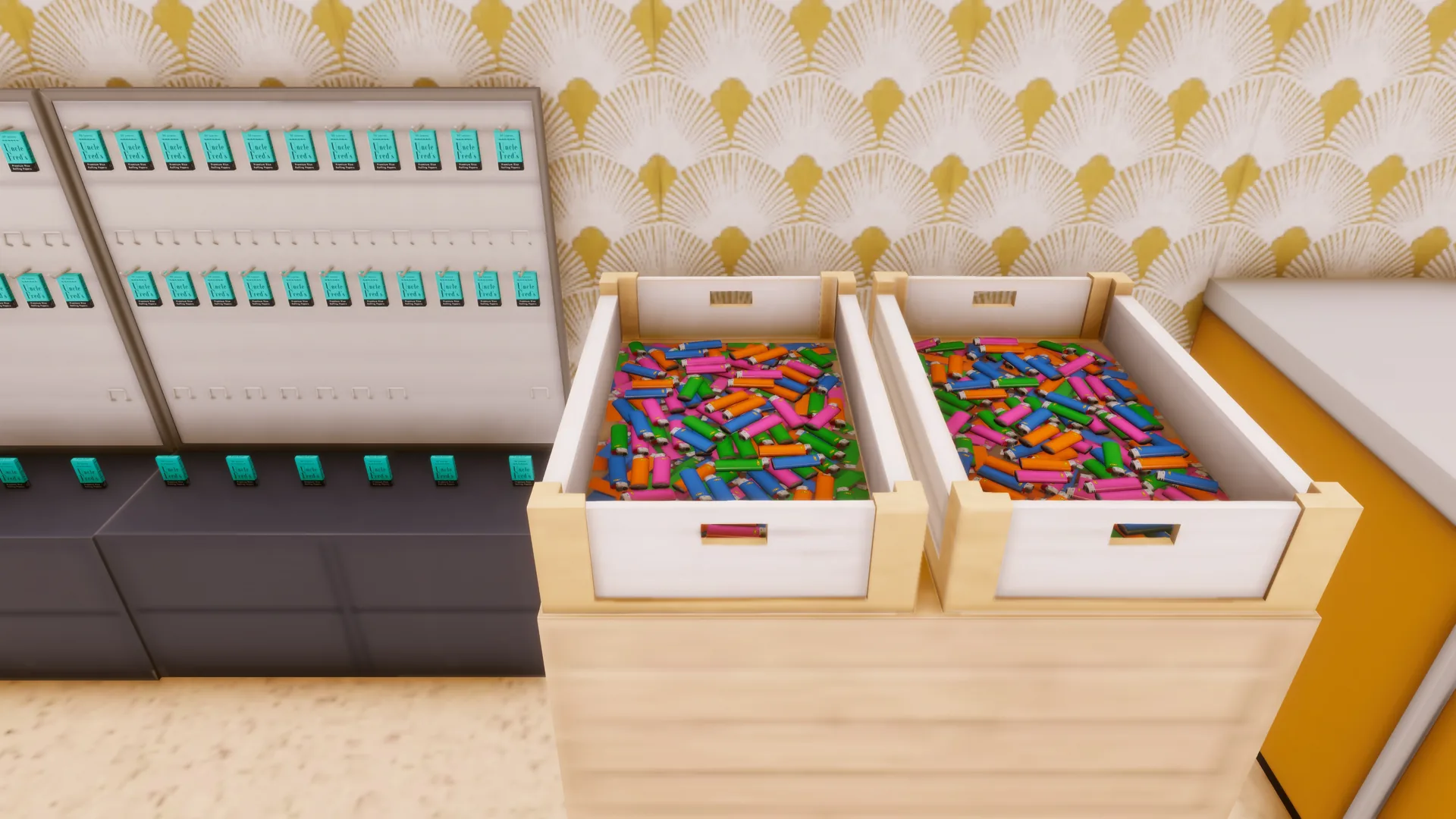
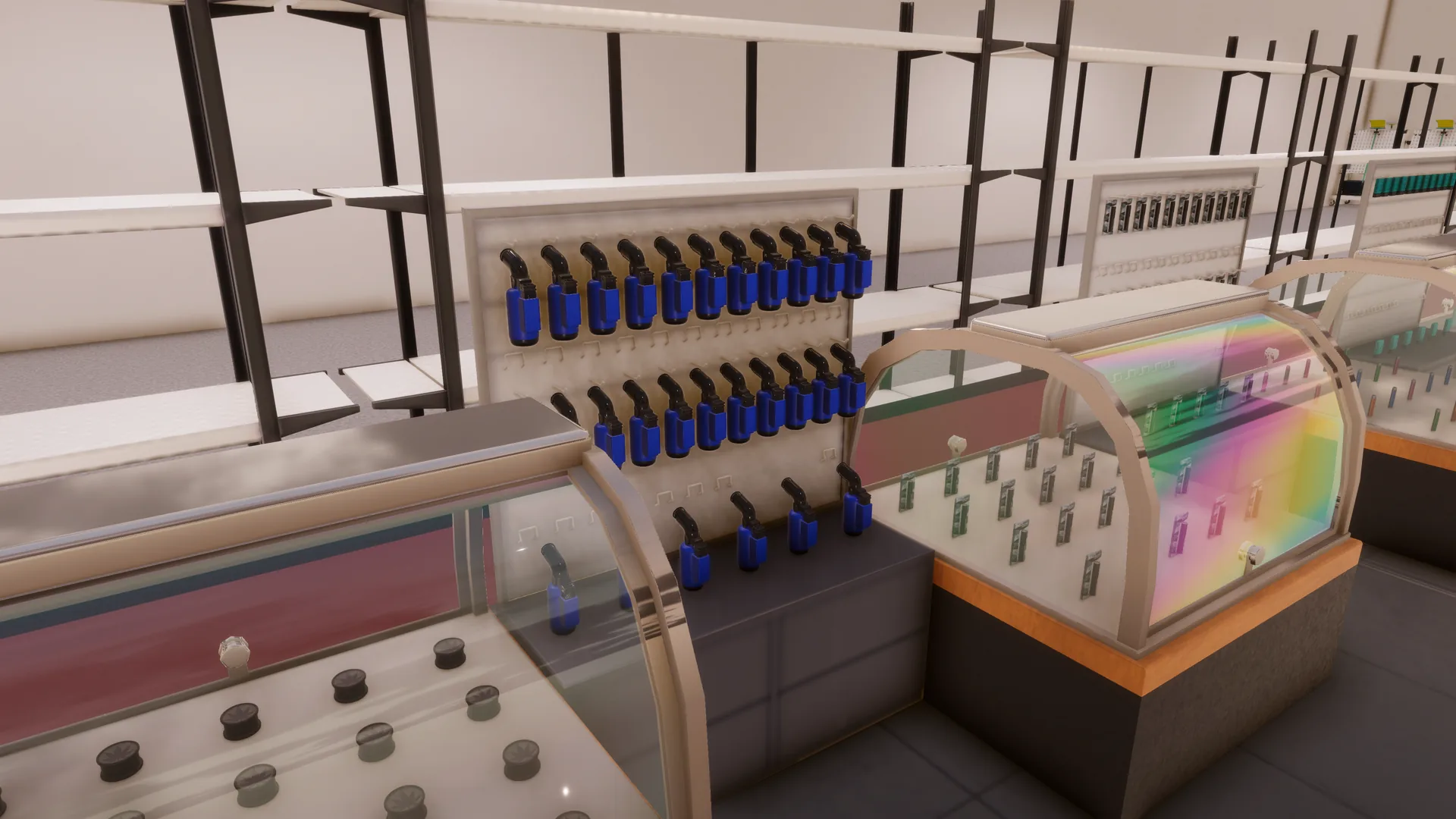
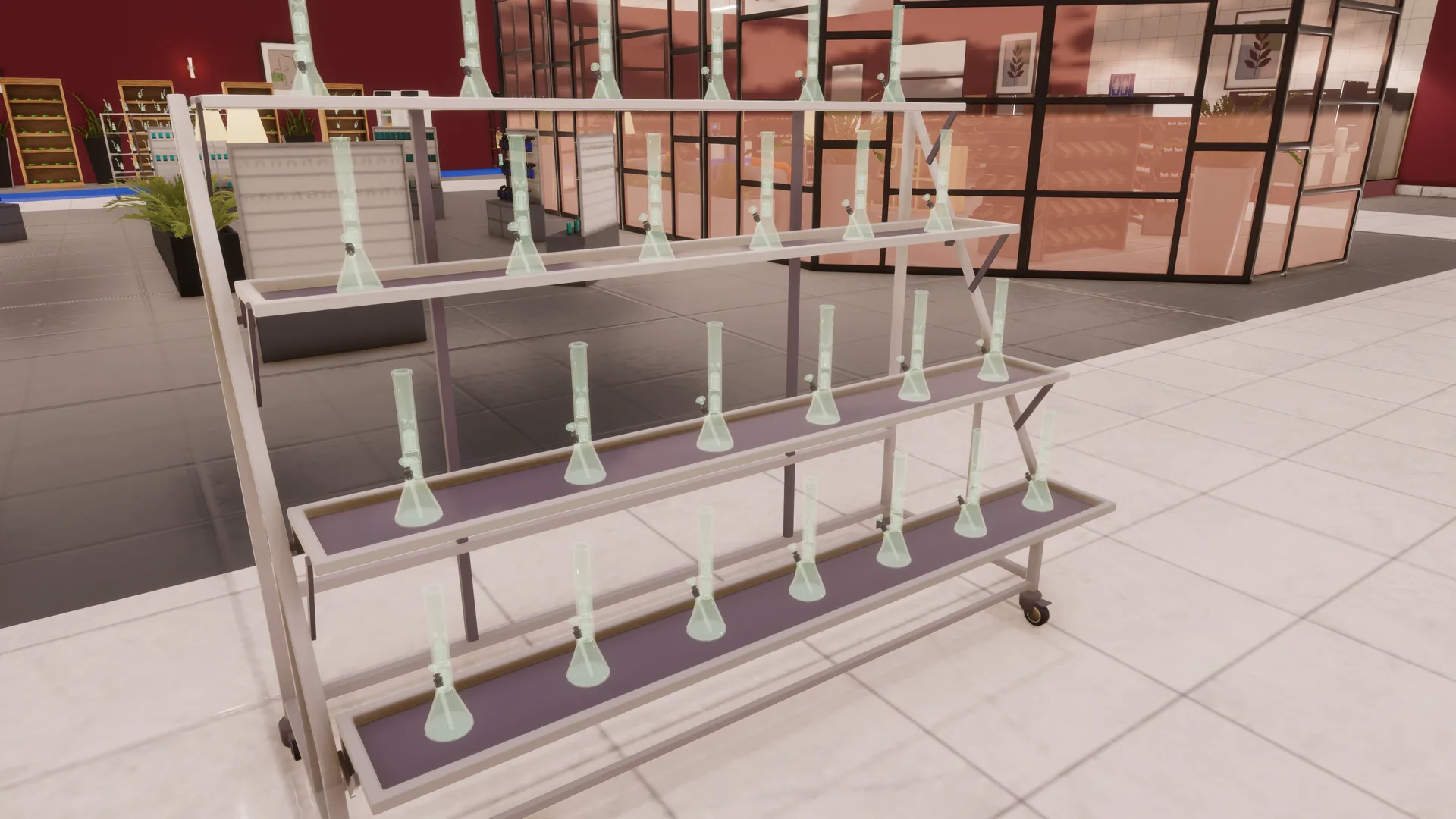
Screenshots from High Ambitions 1.0 in Big Ambitions Build 3682. Select one to open it full size.
Help, in the game and here
Every High Ambitions page from the game's Help window is also on this site: which furniture displays which product, the stocking requirements, supply, Proximity Synergy, troubleshooting and how to remove the mod safely. Read it without starting the game in the High Ambitions guide.
What's new in 1.0.0
High Ambitions leaves public beta. This release brings everything since 0.11.1-beta.1. Built for Big Ambitions Build 3682. High Ambitions needs BusinessBridge 0.1.0-beta.3 or later.
Finished artwork on every product
- Printed packaging at realistic sizes. Cannabionix Low Shelf, Mids and Top Shelf flower, Pre-Rolls, Blunts, Badder, Diamonds, Sauce and Shatter, the Distillate, Live Resin and Liquid Diamond carts, Gummies, Chocolate, the Cannabis Drink and Vape Batteries, and Uncle Fred's Rolling Papers, Cones and Blunt Wraps.
- A proper disposable lighter in four colors (blue, green, orange and pink), replacing the carded placeholder. It is still one product with one stock.
- New white business icons for the Dispensary and the Smoke Shop, in the game's own style, in the list of businesses and on the city map.
Displays
- Products sit properly on their fixtures: packs and carts hang one per Product Panel hook, carts stand in even rows on the bookshelves, the Concessions Display Case and the Jewelry Floor Showcase show front-facing grids, and nothing floats or clips into the fixture above.
- Loose lighters in a Wooden Product Crate. A Smoke Shop can stand the game's own Wooden Product Crate on a display stand and fill it with a mixed pile of up to 50 lighters, for 15 customers per hour. A printed layer of lighters under the pile shows from 15 lighters up and disappears below that, so a low or empty crate looks low or empty.
- Piled displays that empty from the top. Badder, Sauce and Diamonds stand in piles on the Rounded Shelf, flower cartons stand two high in the Concessions Display Case, and Shatter stands in the Rounded Shelf's trays. As stock runs down, piles lose their top items first.
- New display options: carts on the Small Bookshelf and the Jewelry Floor Showcase, grinders and torches on the Jewelry Floor Showcase and the Tiered Display Stand, glass pipes on the Display Table and in the Concessions Display Case, and Low Shelf flower and Mids in the Concessions Display Case.
Each business sells its own products
- When you choose what a shelf holds, a Dispensary lists only Dispensary products and a Smoke Shop only Smoke Shop products, plus the cigarettes, cigars and drinks a Smoke Shop already sold. Other businesses no longer list High Ambitions products. A shelf that already holds a product its business does not sell keeps it, with its stock, until you choose something else.
Prices
- New York City-based prices and smaller, more realistic baskets. A Dispensary customer now usually buys two or three items, and bongs and dab rigs are occasional purchases.
- Your prices are kept. The first time a save loads 1.0, High Ambitions offers once to set the High Ambitions products in your own stores to the new recommended prices. Nothing changes unless you choose Apply Recommended Prices.
- AI-owned stores' prices for the products that became more expensive catch up once, so old AI prices do not hold yours down.
Official store designs
- All twelve official designs use the new displays. In the Smoke Shop designs, lighters move from the Product Panels to a Concessions Display Case (C1, C2 and D2), a display stand with two lighter crates (A1 and A2) or the existing case and crates (M1), and the panels hang papers, cones, wraps and batteries instead. The Dispensary D2 and M1 designs add Rounded Shelves of concentrates. Every design keeps its size and customer capacity.
- New Interior Installation Firm orders use the updated designs, and AI competitors' stores show them the next time you visit. Stores you have furnished are never changed.
More
- Daytime store lighting: Dispensaries and Smoke Shops keep their own lamps on during the day, so products stay easy to see. No lights are added.
- Uncle Fred sends you a message the first time you run a Smoke Shop.
- Release notes in game: after an update, High Ambitions shows what changed once, after a city has loaded. Got it hides it in every save until the next update, and Show What's New in Settings > Mods > High Ambitions opens it again.
- In-game Help rewritten, with customers per hour for every piece of furniture and a new Troubleshooting section, and now also on this site.
- Harmony 2.4: High Ambitions now shares a game-wide Harmony 2.4, which some mods bring, instead of using its own isolated copy. It has not been tested in a Going Public multiplayer session.
Changed
- Vape carts are no longer offered for the Rounded Shelf, and loose lighters no longer for the Product Panel, which has no hang hole for them. A shelf or panel that already holds them keeps displaying, restocking and selling them until you choose a different product for it.
Compatibility
- Needs BusinessBridge 0.1.0-beta.3 or later.
- Existing saves load as they are: your businesses and shelves keep their products and stock. New save data is a few short entries under High Ambitions' own name, such as your answer to the price update offer. Which version's release notes you have read is kept outside your saves, in a small High Ambitions file.
What's new in 0.11.1-beta.1
A compatibility update, built for Big Ambitions Build 3682. Update BusinessBridge to 0.1.0-beta.3 when updating High Ambitions to 0.11.1-beta.1. No gameplay, balance, products, layouts, supply, proximity values or save data changed.
Aluna's Trainer compatibility
-
A compatibility workaround for Aluna's Trainer. Aluna's Trainer distributes HarmonyX
as the global
0Harmonyassembly. The game keeps only one assembly under that name, so in 0.11.0-beta.1 this could prevent High Ambitions' optional enhancements from loading: the High Ambitions Help category, Proximity Synergy and the Interior Installation Firm designs were switched off for the session. - All three now stay available alongside Aluna's Trainer. When the global Harmony cannot safely provide what High Ambitions needs, High Ambitions uses its own isolated, compatible Harmony runtime instead. Aluna's Trainer and its HarmonyX are not replaced, modified, unpatched or disabled, and nothing needs to change on the Trainer's side.
- Tested with the current Workshop versions of Aluna's Trainer, Aluna's Phone Pages and Aluna's City News running alongside High Ambitions, BusinessBridge and ImportFirst.
Optional enhancements work independently
- The High Ambitions Help category, Proximity Synergy and the Interior Installation Firm designs are separate optional enhancements that can all be used together. Each one now finds its own safe way to load, and a problem affecting one no longer switches off the others.
- If another mod already changes the exact same part of the game as one of them, High Ambitions leaves that mod alone and switches off only the enhancement affected.
- The Help category can also be added without any patch, so it recovers on its own.
Compatibility notices
- If an enhancement genuinely cannot be enabled safely, an on-screen notice now says exactly which one was switched off and confirms that your High Ambitions businesses and products are unaffected.
- The notice recommends submitting a support ticket and attaching your Player.log, and clicking it opens the new Compatibility Notices page in the in-game Help.
- It appears once per game session. Several affected enhancements are combined into one notice rather than several, and notices are never stored in your save.
Fixed
- The Help sidebar entry is now removed properly when you leave a city and added again cleanly on the next city load, instead of being left behind and added a second time.
- Windows paths in the Help pages, such as the location of Player.log, now show their backslashes.
What's new in 0.11.0-beta.1
Built for Big Ambitions Build 3682. The product catalog is unchanged at 25 products, and every High Ambitions product is still supplied by BlueStone Imports on Pier 4.
Added
- The first custom product models. Bongs, Dab Rigs, Glass Pipes, Grinders and Torches now have their own models instead of placeholder shapes, sized and spaced to sit properly on every fixture they can be displayed on. The other products keep their placeholders for now.
- All 12 official store layouts in the Interior Installation Firm. High Ambitions ships 12 official store layouts: one Dispensary and one Smoke Shop layout for each supported floorplan (A1, A2, C1, C2, D2 and M1). BusinessBridge uses those same official layouts for AI competitor businesses, while the Interior Installation Firm makes all 12 available for players to install and beta test. Open a Dispensary or Smoke Shop, call the Firm, and the layout for that store type and floorplan is listed as High Ambitions Dispensary C1, High Ambitions Smoke Shop A2 and so on, priced and installed like the game's own designs. This is an optional enhancement: it uses the same shared patching library as the proximity bonus and turns itself off if that patch cannot be applied safely.
Changed
- AI competitor stores now grow with the building. AI-owned Dispensaries and Smoke Shops carry a product range set by their building-size tier (A, C, D or M), from a focused set in A-tier buildings to the full catalog in M-tier ones, instead of the smallest shops opening with almost everything. This applies to AI stores only: player-owned stores can still stock any supported product in any building, including one installed from an official layout, which arrives with its shelves set up for the matching AI range.
- All twelve official High Ambitions store layouts reworked. All 12 were reworked for the new building-size product ranges, with enough display furniture for the products carried by each AI range. BusinessBridge uses these layouts for AI competitor businesses, and the Interior Installation Firm offers the same 12 to players.
- More places to display the glass and hardware. Bongs can now go in the Jewelry Floor Showcase and on the Display Table; Dab Rigs on the Display Table; Grinders on the Small Bookshelf and the Display Table; Torches in the Concessions Display Case, on the Small Bookshelf and on the Display Table. Every product still has all of its previous fixtures, apart from the Rounded Shelf change below.
- Grinders and Torches no longer display on the Rounded Shelf. Its leaning trays tilted the new models and sank them into the shelf. See the note below if a Rounded Shelf in your save already holds them.
- Optional enhancements fail one at a time. The proximity bonus, the Help sidebar entry and the official layouts in the Interior Installation Firm each use the shared patching library on their own. If another mod already changes the same part of the game, only the enhancement that touches it is switched off and the log says which one; the others keep working. Before, one conflict switched off all of them.
- Built for Big Ambitions Build 3682.
Improved
- The in-game Help lists every fixture. The Dispensary and Smoke Shop Help pages now name every piece of furniture each product can be displayed on, including the Bakery Showcase, Rounded Shelf, Jewelry Floor Showcase, Display Table and both drinks fridges.
- The Dispensary page now lists all three displays for the concentrates (Badder, Sauce, Shatter and Diamonds): the Concessions Display Case, the Rounded Shelf and the Jewelry Floor Showcase.
Grinders or Torches on a Rounded Shelf in an existing save
A Rounded Shelf that already holds Grinders or Torches keeps its stock, but no longer displays them and can no longer be set to them. Move them to a supported fixture:
- Grinders: Concessions Display Case, Large Bookshelf, Small Bookshelf or Display Table.
- Torches: Product Panel, Concessions Display Case, Large Bookshelf, Small Bookshelf or Display Table.
AI store product ranges by building-size tier
Each tier adds to the range of the tier before it. The tiers group the floorplans: A1 and A2 use the A range, C1 and C2 the C range, D2 the D range and M1 the M range.
Smoke Shop
- A (5 products): Cigarettes, Cigars, Rolling Papers, Lighters and Glass Pipes.
- C (9): adds Blunt Wraps, Cones, Bongs and Soda.
- D (12): adds Energy Drink, Vape Batteries and Grinders.
- M (14, the full range): adds Torches and Dab Rigs.
Dispensary
- A (6 products): Low Shelf Flower, Mids, Pre-Rolls, Distillate Cart, Cannabis Gummies and Cannabis Drink.
- C (9): adds Top Shelf Flower, Blunts and Live Resin Cart.
- D (12): adds Liquid Diamond Cart, Cannabis Chocolate and Shatter.
- M (15, the full range): adds Badder, Sauce and Diamonds.
Known issues
These apply to 1.0.0.
- A save with a Dispensary or Smoke Shop needs High Ambitions. That includes stores owned by AI rivals, which you cannot close. If you load such a save with High Ambitions disabled, the game warns that the enabled mods have changed, and that session can break. Do not continue or save: quit, re-enable High Ambitions and reload, and the save is fine. Before removing the mod, follow Removing High Ambitions.
- A Rounded Shelf that already holds Grinders or Torches from a version before 0.11.0-beta.1 keeps its stock, but no longer displays them and can no longer be set to them. Move them to a supported fixture, as described in the 0.11.0-beta.1 notes above.
- In menus and lists, such as a store's inventory in BizMan, High Ambitions products show the game's generic product icon rather than their own.
- In stores owned by AI rivals, the security panels show the game's warning icon. This happens in the game's own AI-owned stores too; the panels in your stores and in the official designs you install work normally.
- AI-owned Dispensaries and Smoke Shops use a small set of store names, two for each business type, so the same names repeat across a city.
- Not tested in a Going Public multiplayer session.
- English only.
- No cultivation or manufacturing.
Credits
Five of the product models are adapted from models published on Sketchfab under the Creative Commons Attribution 4.0 International license (CC BY 4.0). They were modified for High Ambitions.
- Bong: "Bong!" by 3.5 Glass & Smoke Shop, CC BY 4.0.
- Grinder: "Grinder Madera Cannabis" by JMCerezo, CC BY 4.0.
- Torch: "Torch Lighter" by Sabowsla, CC BY 4.0.
- Glass Pipe: "MJ Arsenal - Deco Hand Pipe" by Robert Wooldridge, CC BY 4.0.
- Lighter: "Basic Lighter" by CohiTrippy, CC BY 4.0.
The Dab Rig is adapted from "Electronic Dab Rig 3D model" by utmostphotos, licensed through CGTrader under its Royalty Free License and modified for High Ambitions.
High Ambitions' optional enhancements use Harmony by Andreas Pardeike, released under the MIT License, including the isolated copy High Ambitions uses since 0.11.1-beta.1. Its license notice is included with the mod.
Support
If High Ambitions is misbehaving, open a ticket. No account is needed, and nothing you send is published.